Every Shopify order prints by itself.
No opening orders. No clicking print. The moment an order is paid, its invoice and packing slip come out of your printer, ready to pack. Even when you’re not at the desk.
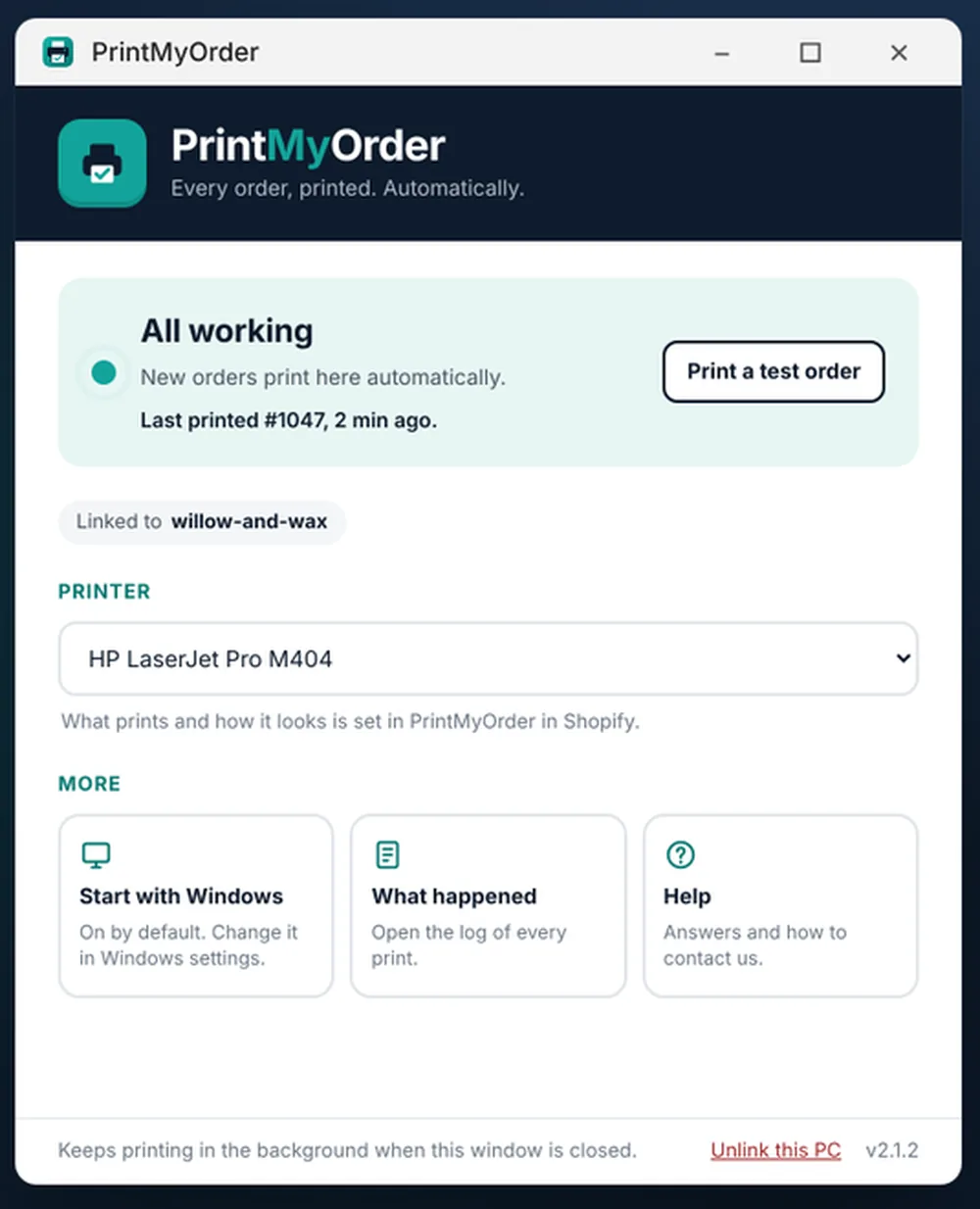
How auto printing works
From “order paid” to paper in your hand.
PrintMyOrder watches your shop. When an order comes in, it sends your paperwork straight to your printer through a small, free Windows app.
Order paid
A customer checks out in your Shopify store.
We prepare it
Your invoice, packing slip and any extra pages, in your own design.
Your PC prints it
The Windows app sends it to the printer you chose. Quietly, in the background.
You pack
Pick up the paperwork and pack. Each order prints once, in the order it came in.
Reliable, every day
Built to keep printing when things go wrong.
Busy day, PC asleep, printer out of paper: PrintMyOrder keeps track so nothing gets missed.
- PC off? Orders wait. They print as soon as it’s back on.
- Several PCs, never twice. Link as many as you like, and each order still prints once.
- The right printer, every time. Pick it once. Office, home, USB or Wi-Fi.
- See what printed. A list of recent prints, plus a test print to check everything.
You stay in control
Print exactly what you want, when you want.
Paid orders, or every order
Print only paid orders, or every order the moment it comes in.
Only certain delivery methods
For example only “Local delivery” or “Click & Collect” orders.
Invoice, packing slip, or both
Switch each on or off, each in its own design.
Copies
Print 1 to 3 copies of each.
Reprint any order
Type the order number and it prints again.
Print from any browser
No PC to hand? Tick orders and print from your browser, Mac included.
The free Windows app
Small, quiet and safe.
The PrintMyOrder app comes from the Microsoft Store, so it’s checked by Microsoft and updates itself. It starts with Windows and sits quietly in the background.
- Windows 10 and 11
- No admin rights needed
- Uninstall any time
Starts with Windows
Runs in the background. Nothing to remember.
Linked with a code
A short code from Shopify links it to your shop.
Any printer
Whatever the PC can print to.
More than one PC
Office and warehouse, never twice.
Questions
Auto printing questions
How do I automatically print Shopify orders?
Install PrintMyOrder in Shopify, put the free PrintMyOrder app from the Microsoft Store on the Windows PC your printer is plugged into, and type in the short code from Shopify. From then on every new paid order prints its invoice and packing slip by itself.
Does my computer need to be on?
For automatic printing, yes: the PC your printer is plugged into needs to be on. If it’s off, orders wait safely and print as soon as it’s back on.
Will it work with my printer?
If your printer works from a Windows 10 or 11 PC, it works with PrintMyOrder: office printers, home printers, USB or Wi-Fi. Choose it once and you’re set.
Can I use it on more than one PC?
Yes. Link as many PCs as you like. Each order is printed once, on the printer you chose, never twice.
Do I need a Windows PC?
No. You can print any order, or a whole batch, straight from your browser on any computer, Mac included. For every order to print by itself with no clicking, add the free PrintMyOrder app from the Microsoft Store to a Windows 10 or 11 PC. A Mac app is on its way.
Can it print only some orders?
Yes. Print only paid orders or every order, and only orders whose delivery method contains words you choose, for example “Local delivery” or “Click & Collect”.
Can I reprint an order?
Yes. Type the order number and it prints again, or tick any orders in PrintMyOrder in Shopify and print them from your browser.
Stop pressing print.
Let every order print itself, and get back to packing.